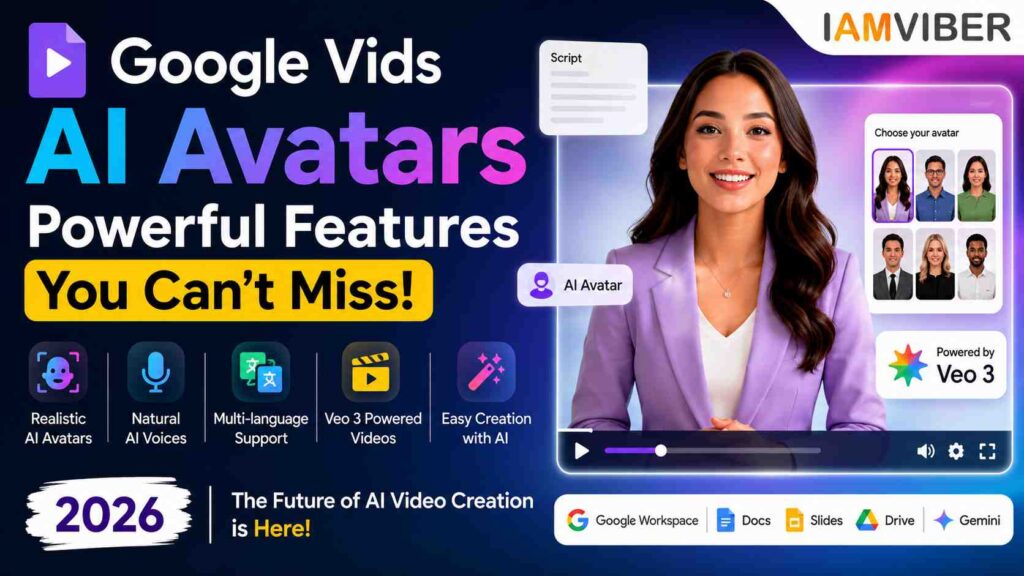
Artificial intelligence is changing video creation faster than ever, and Google has taken another major step forward. With its latest update, Google Vids AI Avatars allow users to create professional-looking videos featuring realistic AI presenters without needing expensive cameras, studios, or production teams.
Whether you’re a marketer, educator, business owner, or content creator, this update could completely transform how you produce video content. Instead of recording yourself multiple times, you can generate engaging videos with AI-powered avatars that deliver your script naturally while maintaining consistent facial expressions and voice quality. Google has also enhanced these capabilities with Gemini-powered speech technology and Veo 3.1, making avatars more realistic than previous versions.
Google Vids AI Avatars are digital presenters built into Google Vids that can speak your script, appear naturally on screen, and create polished business videos in minutes.
Instead of standing in front of a camera, users simply write a script, choose or customize an avatar, and let Google’s AI generate the presentation automatically. The latest release introduces:
- More expressive facial animations
- Natural voice delivery
- Better lip synchronization
- Multiple avatar styles
- Enhanced multilingual support
- Custom avatar controls
Google has expanded its default avatar library significantly while improving speech realism using Gemini text-to-speech technology and Veo 3.1 video generation.
Why Google Vids Is Different
Many AI video tools already exist, but Google Vids has one major advantage—it’s deeply integrated into the Google Workspace ecosystem.
That means users can move seamlessly between Docs, Slides, Drive, Gmail, and Gemini while creating videos. Instead of exporting files across multiple platforms, everything remains connected inside a single workflow.
For businesses already using Google Workspace AI, this dramatically reduces production time.
Imagine creating a presentation in Google Slides, generating a script with Gemini, and converting everything into a narrated video within minutes. That’s exactly the experience Google is building.
How Google Vids AI Avatars Work
Using Google Vids AI Avatars is surprisingly straightforward. The process typically looks like this:
- Open Google Vids
- Create or import your script
- Select an AI avatar
- Choose the preferred voice
- Generate your video
- Review and edit scenes
- Export or share directly
Google also allows users to position avatars inside different environments while maintaining the same face and voice across scenes. This makes presentations feel more dynamic rather than repetitive.
Veo 3 Makes AI Videos More Realistic
One of the biggest upgrades comes from Veo 3 Google Vids integration.
Veo 3.1 is Google’s advanced video generation model responsible for improving movement, expressions, lighting, and lip synchronization.Compared to earlier AI avatars, the difference is noticeable. Videos now include:
- More natural gestures
- Better eye movement
- Improved facial expressions
- Realistic speech timing
- Higher visual quality
Google says these improvements make avatars significantly more engaging for viewers while reducing the “robotic” feeling common in earlier AI-generated videos.
The platform isn’t just designed for creators. Businesses across industries can benefit from AI Avatar Videos, including:
Marketing Teams
Create product launches, promotional videos, advertisements, and social content without hiring presenters.
HR Departments
Develop onboarding materials, employee training, and policy videos that remain consistent across teams.
Sales Professionals
Produce personalized sales pitches and customer walkthroughs faster than traditional recording methods.
Teachers & Trainers
Generate educational lessons, tutorials, and learning modules that can be updated whenever information changes.
Small Businesses
Businesses with limited budgets can now create professional-quality videos using an AI Video Creator instead of expensive production equipment.
Google Workspace AI Is Becoming a Complete Creative Suite
Google is no longer treating AI as a separate assistant.
Instead, Google Workspace AI is evolving into a connected productivity platform where writing, designing, presenting, and video creation happen together.
Alongside Google Vids, Workspace now includes AI features across Gmail, Docs, Slides, Meet, and Drive. The goal is simple: One ecosystem. One workflow. One AI assistant. This integration makes Google particularly attractive for organizations already invested in Workspace.
Benefits of AI Avatar Videos
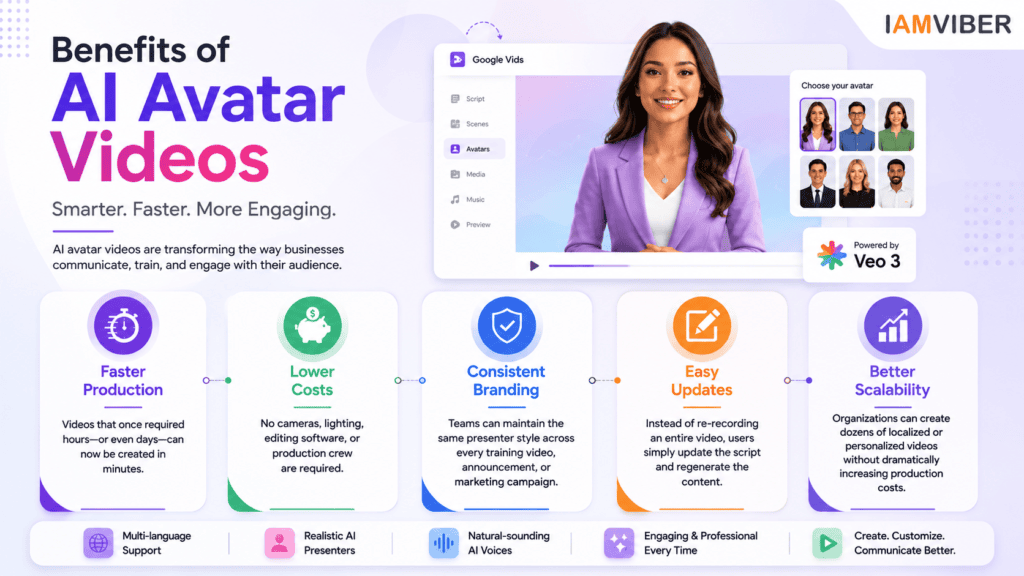
The rise of AI Avatar Videos offers several advantages over traditional production.
Faster Production
Videos that once required hours—or even days—can now be created in minutes.
Lower Costs
No cameras, lighting, editing software, or production crew are required.
Consistent Branding
Teams can maintain the same presenter style across every training video, announcement, or marketing campaign.
Easy Updates
Instead of re-recording an entire video, users simply update the script and regenerate the content.
Better Scalability
Organizations can create dozens of localized or personalized videos without dramatically increasing production costs.
Are There Any Limitations?
Despite the impressive technology, Google Vids isn’t replacing professional filmmaking. Some current limitations include:
- Limited emotional performance compared to real actors.
- Creative storytelling still benefits from human direction.
- Advanced cinematic productions require manual editing.
- Availability of certain AI features depends on account type and rollout region.
For corporate communication, education, training, and internal marketing, however, the platform is already highly capable.
The Future of AI Video Creation
The launch of Google Vids AI Avatars signals a broader shift in how video content will be created.
Instead of filming every presentation, professionals may increasingly rely on AI-generated presenters that are faster, scalable, and easier to update.
Combined with Gemini AI, Veo 3.1, and Google’s growing Workspace ecosystem, video production is becoming accessible to millions of users who previously lacked the skills or resources to create professional content.
As AI continues to improve, we can expect even more realistic avatars, better customization, multilingual support, and deeper integrations with Google’s productivity tools.
Google Vids AI Avatars represent one of Google’s biggest steps toward making professional video creation accessible to everyone. By combining expressive AI presenters, Gemini-powered voice technology, and Veo 3.1 video generation, Google is simplifying a process that traditionally required expensive equipment and specialized skills.
For businesses, educators, marketers, and creators, this means faster workflows, lower production costs, and more opportunities to communicate through video. While AI avatars won’t replace human creativity, they are becoming a powerful tool for everyday content creation.
If Google continues expanding Google Vids, Google Workspace AI, and Veo 3 Google Vids capabilities, AI-generated presentations could soon become a standard part of workplace communication rather than a novelty.
Frequently Asked Questions (FAQs)
1. What are Google Vids AI Avatars?
Google Vids AI Avatars are AI-generated digital presenters that can deliver your script in a professional video without requiring you to appear on camera. They use Google’s AI technology to generate realistic speech, facial expressions, and lip synchronization, making business and educational videos faster to produce.
2. How do Google Vids AI Avatars work?
To use Google Vids AI Avatars, simply create a script in Google Vids, choose an AI avatar, select a voice, and let the platform generate your video. You can edit scenes, visuals, and narration before exporting the final video.
3. Is Google Vids free to use?
Google Vids is available through selected Google Workspace plans. Access to AI Avatars and other advanced AI features depends on your Workspace edition and Google’s rollout schedule, so availability may vary by organization and region.
4. Can I create AI videos without recording myself?
Yes. One of the biggest advantages of Google Vids AI Avatars is that you can create professional AI videos without using a camera or recording your own voice. The AI avatar presents your content automatically, saving time and production costs.
5. What is the difference between Google Vids and other AI video creators?
Unlike many standalone AI video tools, Google Vids is integrated with Google Workspace AI, allowing users to create videos directly from Docs, Slides, Drive, and Gemini. This seamless workflow makes it especially useful for businesses, educators, and teams already using Google’s productivity ecosystem.
6. Does Google Vids use Veo 3 for AI video generation?
Yes. Google is incorporating Veo 3 Google Vids technology to improve video quality, including more realistic avatar movements, smoother animations, better lip-sync, and natural-looking facial expressions, resulting in higher-quality AI-generated videos.
7. Who should use Google Vids AI Avatars?
Google Vids AI Avatars are ideal for marketers, educators, HR professionals, sales teams, startups, content creators, and businesses that need to produce training videos, product demos, presentations, onboarding materials, or internal communications quickly and professionally.
8. Are Google Vids AI Avatars suitable for professional business videos?
Absolutely. Google Vids AI Avatars are designed for professional use, making them suitable for corporate presentations, employee training, customer support videos, product explainers, marketing campaigns, and educational content. They help organizations create polished videos faster while maintaining consistent branding and messaging.
Topics to follow: Current Affairs & Insights Tech Innovation GenZ entrepreneurship Collaborative Fashion GEO AI Agentic SME