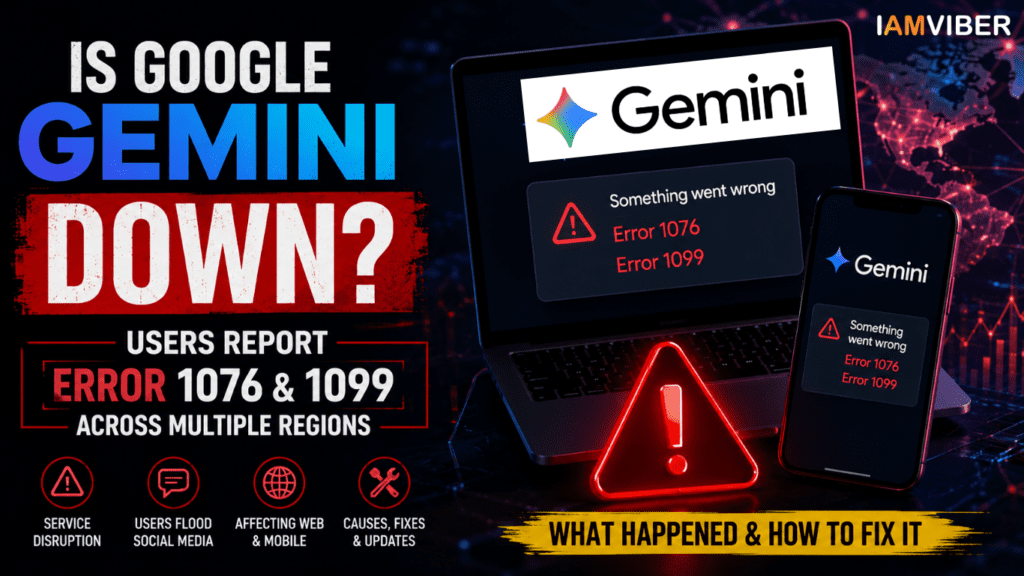
How to Fix Google Gemini Error 1099 (Step-by-Step Guide)
Google Gemini Error 1099 affected thousands of users worldwide as a widespread Google Gemini outage disrupted access across web, Android, iOS, and Chrome platforms
Google Gemini Error 1099 is one of the most common errors users encountered during the recent Google Gemini outage. If you’re seeing Error 1099 or Error 1076, this guide explains what these errors mean, why they occur, and how to fix them.
Google Gemini users across multiple countries are reporting widespread issues while accessing the AI chatbot, with many encountering Error 1076 and Error 1099 messages. The disruption appears to be affecting both the web version and mobile app, leading to concerns about whether Google Gemini is currently down. Reports on outage-tracking platforms and social media surged as users complained about failed prompts, inaccessible chats, and interrupted workflows.
For millions of users who rely on Gemini for research, content creation, coding assistance, and productivity tasks, the outage has created significant inconvenience. While Google has acknowledged that it is investigating issues affecting Gemini, users are still waiting for a complete resolution.
Based on user reports and ongoing investigations, Google Gemini has experienced service disruptions that have prevented some users from generating responses or starting new conversations. Many users reported seeing messages such as:
- "Something went wrong (1076)"
- "Something went wrong (1099)"
- Failed prompt generation
- Chats refusing to load
- Response generation errors
- The issue appears to affect both desktop and mobile users, suggesting that the problem is not limited to a specific browser, device, or operating system.
- Google's Workspace Status Dashboard has indicated that the company is investigating an issue impacting Gemini services, confirming that the problem is not isolated to a handful of users.
What Does Gemini Error 1076 Mean?
Error 1076 has appeared for many Gemini users during the outage. According to reports and troubleshooting discussions, this error is often associated with a specific chat thread becoming overloaded or encountering processing issues. In some situations, browser memory limitations, corrupted session data, or conversation-specific problems may trigger the error. Users experiencing Error 1076 may notice:
- Certain conversations fail to load
- Existing chats stop responding
- Prompt generation becomes unreliable
- Repeated failures within the same thread
- While some instances of Error 1076 can be resolved by starting a new conversation, the current spike in reports suggests that many cases are linked to the broader Gemini service disruption.
What Does Gemini Error 1099 Mean?
Among the two error codes, Error 1099 appears to be more closely associated with server-side issues. Reports indicate that this error commonly occurs when Gemini’s backend services are experiencing heavy load, outages, or infrastructure problems.
Unlike browser-related problems, Error 1099 is generally not caused by the user’s device. Instead, it often indicates that Google’s systems are temporarily unable to process requests. Users encountering Error 1099 frequently report:
- Failure to generate responses
- New chats not loading
- Delayed processing
- Complete inability to access Gemini features
- In many cases, the issue resolves automatically once server stability improves.
Users Flood Social Media With Complaints
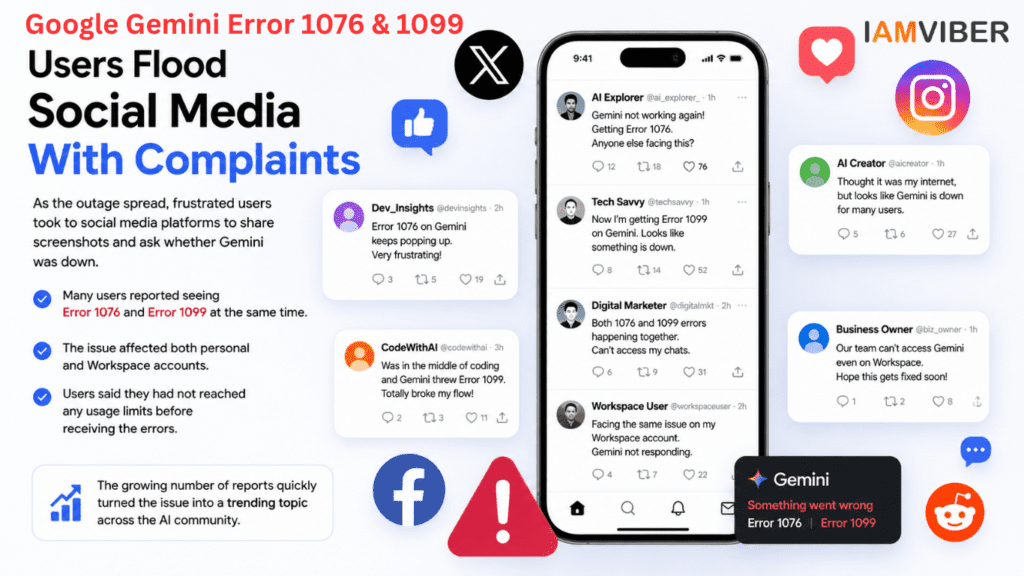
As the outage spread, frustrated users took to social media platforms to share screenshots and ask whether Gemini was down.
Several posts referenced both Error 1076 and Error 1099 appearing simultaneously. Users reported that the issue affected both personal and Workspace accounts, while others stated that they had not reached any usage limits before receiving the errors.
The growing number of reports quickly transformed the issue into a trending discussion among AI users, developers, marketers, and businesses that rely heavily on Google’s AI ecosystem.
Why Is Google Gemini Not Working?
Although Google has not yet released a detailed technical explanation for the outage, several possibilities may explain the disruption.
1. Server Overload
Gemini handles millions of requests every day. Unexpected traffic spikes can place pressure on infrastructure, resulting in service interruptions and response failures.
2. Backend Service Issues
Modern AI systems depend on numerous interconnected services. If one component experiences problems, users may encounter widespread errors even when the rest of the platform remains operational.
3. Infrastructure Updates
Large-scale AI platforms frequently deploy updates to improve performance and introduce new features. Occasionally, these changes can trigger temporary disruptions.
4. Authentication or Session Problems
Some users may experience issues related to account authentication, browser sessions, or cached data. However, the widespread nature of current reports suggests that the primary cause is likely server-side.
Why Google gemini was down and How to fix it : How to Fix Gemini Error 1099 and 1076
While users wait for Google’s engineers to resolve the issue, several troubleshooting steps may help.
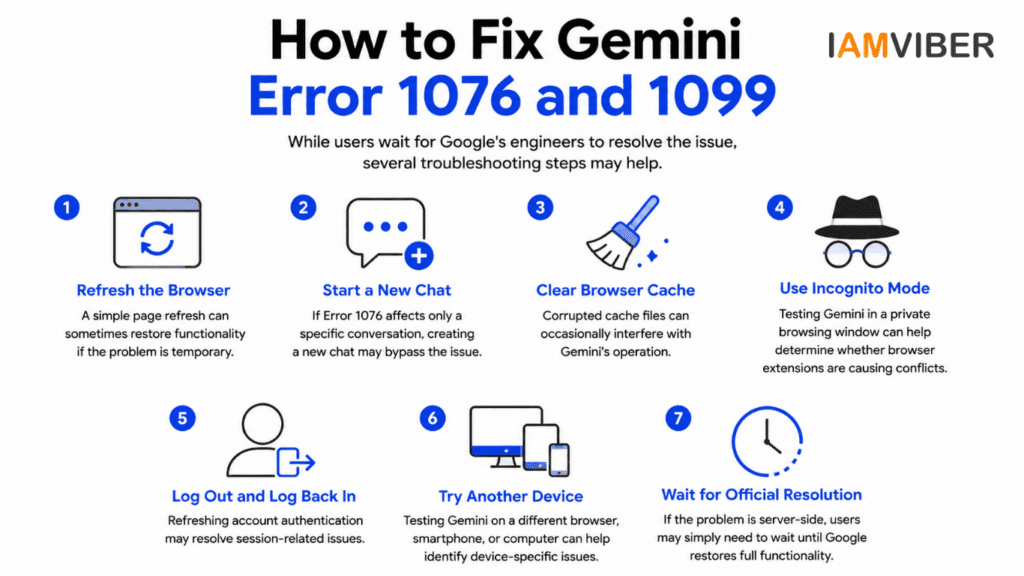
How to Fix Gemini Error 1099 & 1076
| Error | Meaning | Best Fix |
|---|---|---|
| Google Gemini Error 1099 | A temporary server-side error that usually occurs during a Google Gemini service outage or backend issue. | Refresh the page, start a new chat, clear your browser cache, check Google's service status, or wait until the outage is resolved. |
| Gemini Error 1076 | A backend processing or session-related error that may affect individual chats or multiple users during service disruptions. | Create a new chat, clear cache and cookies, switch browsers or devices, and retry after a few minutes. |
Refresh the Browser
A simple page refresh can sometimes restore functionality if the problem is temporary.
Start a New Chat
If Error 1076 affects only a specific conversation, creating a new chat may bypass the issue.
Clear Browser Cache
Corrupted cache files can occasionally interfere with Gemini’s operation.
Use Incognito Mode
Testing Gemini in a private browsing window can help determine whether browser extensions are causing conflicts.
Log Out and Log Back In
Refreshing account authentication may resolve session-related issues.
Try Another Device
Testing Gemini on a different browser, smartphone, or computer can help identify device-specific issues.
Wait for Official Resolution
If the problem is server-side, users may simply need to wait until Google restores full functionality.
The outage highlights the growing dependence on AI assistants in modern workflows. Businesses increasingly rely on Gemini for:
- Content creation
- Research
- Customer support
- Coding assistance
- Marketing campaigns
- Workflow automation
- Even a short interruption can affect productivity, project timelines, and operational efficiency. Organizations that depend heavily on AI tools may benefit from maintaining alternative solutions and backup workflows.
Google's Response
Google’s Workspace Status Dashboard has confirmed that the company is investigating issues affecting Gemini services. However, the company has not yet provided a complete explanation for the Error 1076 and Error 1099 reports or announced a specific timeline for full restoration.
As engineers continue working on the problem, users are advised to monitor official status updates and retry access periodically.
Final Thoughts
The sudden surge of Google Gemini Error 1076 and Error 1099 reports suggests that a significant number of users have been affected by a broader service disruption. While temporary outages are common among large cloud-based platforms, the incident underscores how essential AI assistants have become for individuals and businesses worldwide.
Until Google provides a complete resolution, users experiencing these errors should remain patient, follow troubleshooting steps, and monitor official updates for service restoration.
Google Gemini Error 1099 is generally a temporary server-side issue rather than a problem with your device. If Google’s services are operational, the troubleshooting steps above should help restore access. For the latest AI news, outage updates, and Gemini feature releases, follow IAMVIBER.
Frequently Asked Questions (FAQs)
1. What does Gemini Error 1099 mean?
Gemini’s Error 1099 usually indicates a server-side issue rather than a problem with your device. It commonly appears when Google’s Gemini service experiences backend session conflicts, temporary outages, or processing failures. During widespread incidents, many users may receive the same error simultaneously.
2. How do I fix Gemini Error 1099?
You can try several troubleshooting steps:
i. Refresh the page and start a new chat. ii. Clear your browser cache and cookies.
iii. Open Gemini in Incognito Mode.
iv. Switch to another browser or device.
v. Check the Google Workspace Status Dashboard for ongoing outages.
vi. Wait for Google to resolve any server-side issues if the problem is widespread.
3. Is Gemini Error 1076 a server issue?
Yes, in many cases Error 1076 is linked to temporary server-side issues or service outages affecting Google Gemini. If many users report the same error at the same time, the problem is usually on Google’s infrastructure rather than your device.
4. Was Google Gemini down globally?
Yes. During the June 2026 outage, users across multiple countries reported Error 1076 and Error 1099 while using Google Gemini. Google confirmed the disruption on its Workspace Status Dashboard and later restored the service after applying mitigations.
5. How long did the Gemini outage last?
The outage lasted for several hours before Google deployed fixes and confirmed that service was recovering. The exact duration varied depending on the affected region and product, but most users regained access once Google’s mitigation was completed.
6. Is Gemini working now?
If there is no active outage, Gemini should work normally. If you still receive 1099 error or 1076 Error after Google reports that services are restored, try starting a new conversation, switching browsers, or checking your account-specific settings before contacting Google Support.
7. Can a long chat cause Gemini Error 1099?
In some situations, yes. Very long conversations or complex prompts can contribute to session conflicts or context-related processing issues. Starting a new chat often resolves problems that are limited to a single conversation.
8. Where can I check if Google Gemini is down?
The best place to verify a Gemini outage is the Google Workspace Status Dashboard. You can also monitor trusted outage trackers and official Google announcements to see whether the issue is widespread or limited to your account.
Topics to follow on IAMVIEBR : AI & Tech, Startup, AI Creative, Agentic AI, Current Affairs & Insights, Collaboration